

The answer is not to write a better prompt, but to define your brand and voice in three files for the AI to read at the start of every session, and to iterate on it. Here is what is actually in them.
If you asked your AI to write content, you will always get something that doesn’t quite hit the mark the first time. Maybe it doesn’t sound like you, or maybe it doesn’t represent your brand well. And worse, it has the tell-tale signs of AI writing “that make it load-bearing” 😠.
So, you make your prompt longer, you try to save a ready-made prompt that describes your brand, and copy and paste it into any new session. The problem with that is that your brand only exists inside a conversation, and conversations end.
So instead of using a custom copy-paste prompt, it’s better to maintain it as a set of files. This is where your brand and voice lives even after your chats end.
So the fix isn’t a longer prompt. It’s moving the brand out of the conversation and onto disk, where every future session starts by reading it.
But, what do you actually store in those brand files?
Constructing a structured brand reference for AI
I have been a copywriter for a while. But with AI now writing so well, I’ve gotten lazy and just leave it all to be generated. But this is a mistake since I end up rewriting a lot of it anyway.
Those close, that gap, I started using AI to capture my brand and voice across three files in a folder, which every agent I run reads before it writes anything.

Here is what each of the files do:
Provide the facts. pack.yaml contains the brand positioning in one sentence. Then three customer segments, each with the pains and the jobs written out rather than summarised. Then three key products or services, each with a list of their claims. There are also must-haves, no-gos and optional mentions about competitors with a line each on what they sell and where you are different.
Provide the look. design.md contains font stacks, a colour map, and three short prose sections on how the brand actually behaves visually. It can go even further and define UI elements in CSS, based on your existing website.
Provide the writing style. voice-profiles.md is the one that matters most for tone. It is built from your published posts. It has sentence-level habits with a real examples under each one. And it has different sections for different types of content, e.g. case studies, personal stories, etc.
Filling it in automatically
Now that we given each file an internal structure, we COULD write each of the sections by hand. Or, we could write a “setup” AI to write the files so that they will be used by the “writer” AI.
So that’s what I did. And i packaged it as a Claude plugin that anyone can install in their Claude Code (you still need at least a Pro plan).
Once you install the plugin, you can run the /setup-brand command to start filling in the files.
Testing it out on a completely random brand
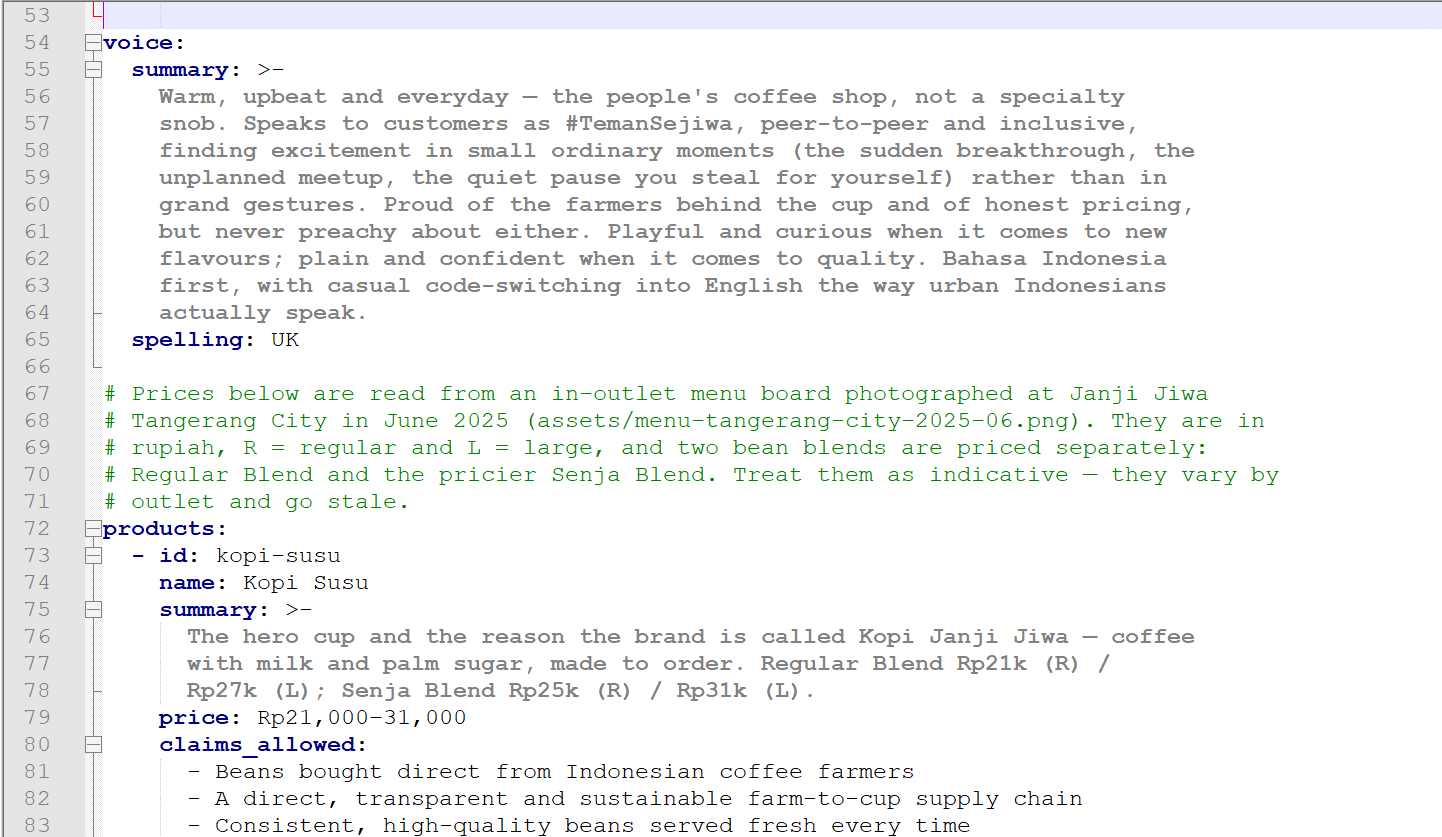
To see if it works, I told the AI to set up the brand for a popular coffee chain in Indonesia. It did it in five minutes, and asked me a few clarifying questions along the way. I didn’t need to write any of those files by hand. They were built by conversation, and I never saw the file format while it was happening.
This is the brand file it produced in pack.yaml:
Then I used it to generate a landing page for a new fictional product. This was to test whether the AI would use the design.md file as reference, and it did!

The copy in the landing page also came out on brand with the real corporate website, so it works.
Should you completely trust AI to write exactly the way you want?
This boils down to whether AI can tell good writing from bad writing.
At the surface level, AI output will be free of typos, and have proper grammar. But as you keep reading, it may start to show areas where only a person with domain experience in the subject matter would notice. That’s where human editing is important.
And then there is “taste”. The question of “is this on-brand” is taste, and taste isn’t fully machine-checkable. The brand and voice files that my plugin generates helps you get closer to acceptable output, but it will always feel “off” until a human takes a proper pass at it.
And also there is the “AI-isms”. Things that start to grate on your after you read them everywhere. Things like “load-bearing”, and “And, I want to state it honestly…”. To kick these out, I included a list of banned phrases that are injected into each brand file during generation. But you can modify them as you like.
One thing that my plugin also creates is a section on compliance. What claims are the brands forbidden to make? For a skincare brand, this could be things like making clinical claims, like “cures you in 2 weeks”. As you use the plugin in your sessions, these should get called out for your attention, like in the example below:

If you want to try it, the campaign engine I use for all of this is a Claude plugin, with install instructions.
But even if you don’t want to use my plugin, you really should start pointing your AI at brand and voice references stored as files, instead of copy-pasting them into your initial prompt every time. The best part is, after doing edits to your copy, you can ask the AI to incorporate the changes back into the voice files, therefore iterating on them to make it better.


Leave a Reply